Webflow vs WordPress: Which Platform Is Right for Your Business?
If you’re looking to build or redesign your website, you’ve probably come across two of the most popular platforms: Webflow and WordPress. Both are powerful in their own right, and both can deliver excellent results when used properly.
The key difference isn’t just the platform itself, but how it’s implemented. A well-built website on either platform can perform strongly. However, the way each system is structured creates very different outcomes when it comes to speed, performance, flexibility, and long-term management.
For Australian businesses, especially those operating in regional or competitive service markets, choosing the right platform can directly impact lead generation, SEO rankings, and overall business growth.
Webflow: Speed, Performance & Modern Development
Webflow is a modern website platform that focuses on clean code, performance, and visual development. Unlike traditional builders, it doesn’t rely on plugins to function.
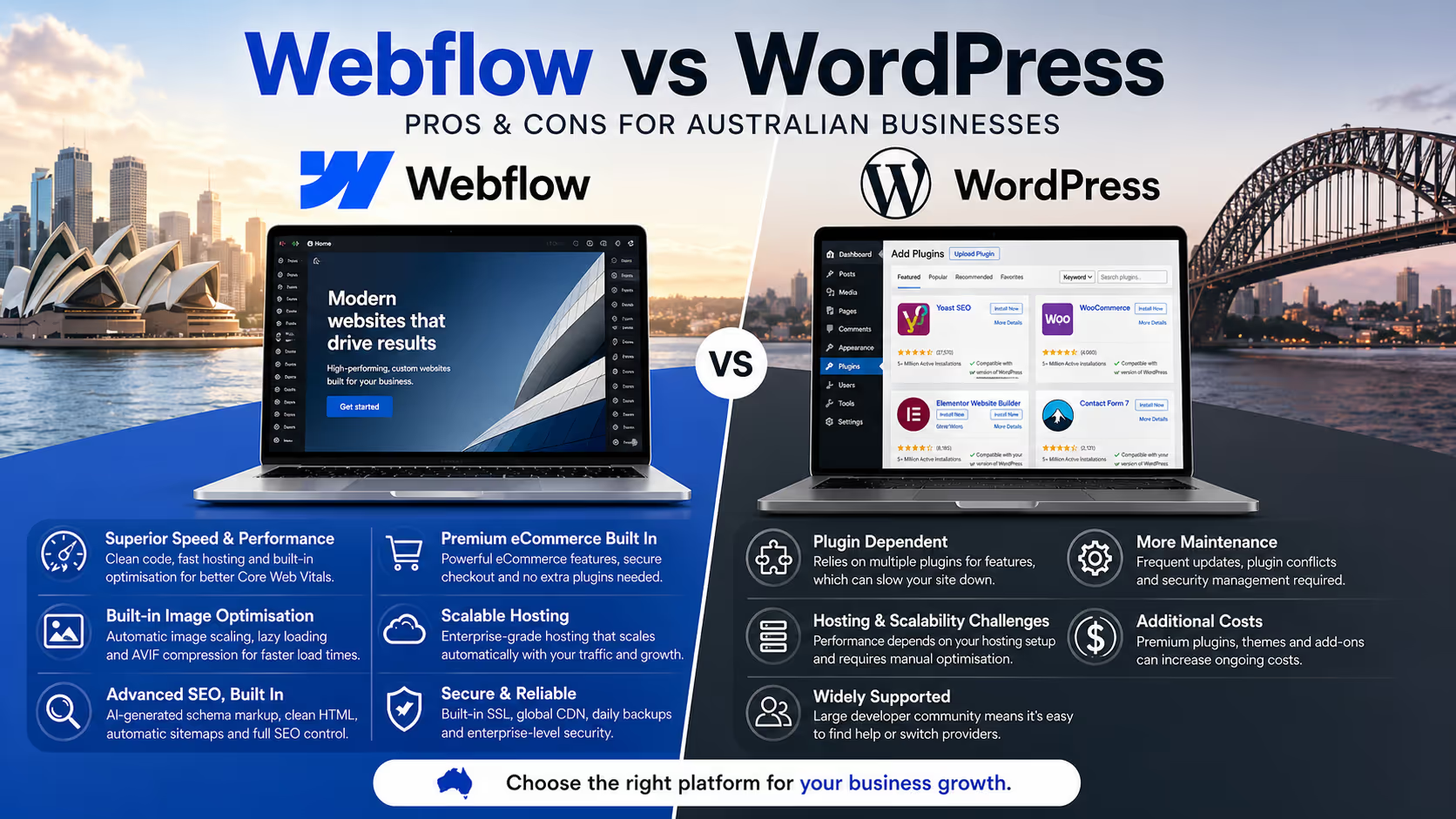
One of the biggest advantages of Webflow is speed. Websites built in Webflow are typically much faster because they are not weighed down by unnecessary scripts or third-party add-ons. This directly improves SEO performance, especially with Google prioritising page speed and user experience in rankings.
Another major benefit is the level of control over design and layout. Webflow allows for completely custom builds without needing to rely on pre-built themes. This means your website can be tailored exactly to your brand, rather than trying to fit your business into a template.
Webflow also includes hosting, security, and performance optimisation built in. There’s no need to manage updates, worry about plugin conflicts, or deal with technical maintenance in the same way you would with other platforms.
In addition to this, Webflow comes with a range of modern performance features built in by default. This includes automatic image optimisation such as responsive image scaling, lazy loading, and support for next-generation formats like AVIF, which significantly reduces file sizes without sacrificing quality. These features help improve load times across both mobile and desktop without any manual setup.
Webflow also simplifies technical SEO. Features like clean HTML structure, automatic sitemap generation, and the ability to implement structured data are built directly into the platform. With newer capabilities around AI-assisted schema markup and streamlined SEO controls, it’s easier to ensure your website is properly understood by search engines without relying on multiple plugins.
Another key advantage is Webflow’s inbuilt eCommerce functionality and hosting scalability. Webflow provides a premium, fully integrated eCommerce system without needing third-party plugins, allowing you to manage products, payments, and checkout experiences within a single platform. As your business grows, Webflow’s hosting infrastructure scales with you, handling traffic spikes and performance demands without requiring manual server upgrades or complex configurations.
For businesses that want a high-performing, modern website that is scalable and easy to manage, Webflow is often the stronger option.
WordPress: Flexibility & Industry Standard
WordPress is the most widely used website platform in the world, and for good reason. It offers a huge ecosystem of plugins, themes, and developers, making it incredibly flexible.
One of the biggest advantages of WordPress is accessibility. Because so many developers use it, it’s easier to find someone to work on your site if you ever change providers. This gives business owners a level of security knowing they’re not locked into a niche system.
WordPress also excels in more complex use cases. If your website requires advanced functionality such as large eCommerce stores, membership systems, custom integrations, or highly dynamic data structures, WordPress can handle it with the right setup.
However, this flexibility comes at a cost. Most WordPress websites rely heavily on plugins, and over time this can lead to slower performance, compatibility issues, and increased maintenance requirements. This is especially noticeable in eCommerce builds, where multiple plugins are often required to handle payments, shipping, product variations, and performance optimisation.
Hosting and scalability are also more hands-on with WordPress. As your website grows, you may need to upgrade hosting plans, optimise databases, and manage caching layers manually to maintain performance. Security updates, plugin updates, and hosting optimisation all need to be actively managed to keep the site running smoothly.
For businesses that need complex functionality or want a widely supported platform, WordPress is still a strong option.
SEO Considerations: Webflow vs WordPress
From an SEO perspective, both platforms are capable of ranking well on Google. The difference comes down to execution.
Webflow has a natural advantage in performance. Faster load times, cleaner code, and fewer dependencies mean websites are more likely to meet Google’s Core Web Vitals benchmarks. This can give Webflow sites an edge in competitive search results, particularly for local Australian keywords.
WordPress can also perform extremely well for SEO, but it requires more setup. Proper caching, image optimisation, plugin selection, and hosting configuration all play a role. Without this, WordPress sites can quickly become slow and inefficient.
In simple terms, Webflow tends to deliver strong SEO performance out of the box, while WordPress requires more ongoing optimisation to achieve the same results.
When Webflow Is the Better Choice
Webflow is ideal for businesses that want a fast, modern website focused on performance and conversions.
It suits service-based businesses, tradies, consultants, and regional businesses that rely on generating leads online. It’s also a great option for businesses that want a clean, custom design without ongoing technical headaches.
If your goal is a high-performing website that looks professional, loads quickly, and requires minimal maintenance, Webflow is often the better choice.
When WordPress Makes More Sense
WordPress is better suited for more complex builds or situations where flexibility is critical.
If you need advanced eCommerce functionality, marketplace features, custom user systems, or deep integrations with third-party tools, WordPress provides the framework to make that happen.
It’s also a good option if you want the reassurance that almost any developer can work on your site in the future.
For larger or more technically demanding projects, WordPress remains a powerful and reliable platform.
Choosing the Right Platform for Your Business
The decision between Webflow and WordPress shouldn’t be based on trends or popularity. It should come down to what your business actually needs.
If you’re focused on speed, simplicity, and performance, Webflow is hard to beat. If you require complex functionality and long-term flexibility, WordPress may be the better fit.
Most importantly, the success of your website will depend on how it’s built, not just what it’s built on.
Get the Right Website Built for Your Business
Whether you’re leaning towards Webflow or WordPress, the goal is the same: a website that generates leads, builds trust, and supports your business growth.
At Emerald Websites, we specialise in both Webflow and WordPress. This means you’re not being pushed into a one-size-fits-all solution. Instead, we look at your business, your goals, and the level of functionality you actually need, then recommend and build the platform that will give you the best result.
For some businesses, that means a high-performance Webflow website focused on speed, conversions, and simplicity. For others, it means a more complex WordPress build with advanced functionality and flexibility. The key is making the right decision upfront so your website works for you long-term.
If you’re unsure which direction is right for you, getting the right advice early can save time, money, and frustration.
Final Thoughts
Both Webflow and WordPress are excellent platforms when used correctly, and there’s no one-size-fits-all answer.
Webflow is leading the way in performance, speed, and modern design, making it a strong choice for most service-based businesses in Australia. It removes a lot of the technical complexity and delivers a streamlined, high-performing result, with built-in eCommerce and scalable hosting that supports growth without added complexity.
WordPress, on the other hand, continues to dominate in flexibility and scale. For complex websites or businesses with specific functional requirements, it remains a highly capable solution, but often requires a more hands-on approach with plugins, hosting, and ongoing optimisation.
The key is choosing the platform that aligns with your business goals, not just what’s most popular. A well-built website on the right platform will always outperform a poorly built one, regardless of the technology behind it.



%20-%20Square.avif)